
Multichannel vs. Omnichannel Support: Understanding the Difference
Customers today expect businesses to be available through multiple communication channels, including phone, email, live chat and social media. But simply offering several ways to contact your business does not automatically create a seamless customer experience. The real difference lies in how these channels work together. Understanding multichannel vs. omnichannel support can help businesses build more connected, consistent and effective customer service operations.

What Is Multichannel Support?
Multichannel support is a customer service approach that allows customers to contact a business through different communication channels. These may include telephone, email, live chat, social media, messaging applications and self-service portals.
The purpose is to give customers more ways to reach a business instead of relying on a single communication method. For example, a customer may call the support team for an urgent issue, send an email for a detailed request or use live chat for a quick question.
However, in a traditional multichannel setup, these channels may operate independently. The customer service team handling an email may not have immediate access to the conversation that previously took place over the phone.
Example of Multichannel Support
Imagine a customer purchases a product from an online store and wants to check its delivery status.
- The customer sends an email asking about the delivery.
- Later, the customer calls the support team for an update.
- The customer then sends a message through social media.
If these channels operate separately, the customer may need to explain the same issue to different representatives. Each interaction might be recorded in a different system, creating additional work for both the customer and the support team.
Key takeaway: Multichannel support provides multiple communication options, but those channels do not necessarily share customer information or conversation history.
What Is Omnichannel Support?
Omnichannel support takes customer communication a step further by connecting different support channels into a more unified experience. It allows customer information, interaction history and support requests to be shared across connected systems.
Instead of treating every communication channel as a separate interaction, an omnichannel approach aims to maintain continuity throughout the customer journey.
For example, a customer might start a conversation through live chat, follow up by email and then call the support team. With an integrated omnichannel platform, the next representative can access the available conversation history and understand the issue without asking the customer to start again.
Example of Omnichannel Support
Consider the same online shopping scenario:
- The customer starts a live chat to ask about a delayed order.
- The support representative records the issue in the customer service platform.
- The customer later calls the support team.
- The representative accesses the existing ticket and reviews the previous conversation.
- The customer receives an update without having to explain the entire situation again.
The customer can move between communication channels while the business maintains a more consistent view of the interaction.

Key takeaway: Omnichannel support connects communication channels and customer information to create a more continuous customer service experience.
Multichannel vs. Omnichannel: Key Differences
Both approaches use multiple communication channels, but the main difference is how those channels are connected and managed.
| Comparison Area | Multichannel Support | Omnichannel Support |
|---|---|---|
| Channel structure | Channels may operate independently. | Channels are connected through integrated systems. |
| Customer information | Information may be stored separately. | Relevant customer information can be shared across connected channels. |
| Conversation history | Previous interactions may be difficult to access. | Interaction history can be available across channels. |
| Customer experience | Experience can vary between channels. | Designed to provide a more consistent experience. |
| Agent workflow | Agents may need to switch between separate systems. | Agents can work from integrated customer service platforms. |
| Issue tracking | Requests may be tracked in separate tools. | Requests can be tracked through connected ticketing workflows. |
| Implementation | Can be simpler to establish initially. | Usually requires stronger integration and process planning. |
| Primary focus | Offering customers multiple ways to communicate. | Creating continuity across customer interactions. |
The Most Important Difference
Multichannel support focuses on the availability of communication channels. Omnichannel support focuses on the relationship between those channels and the continuity of the customer journey.
A business can offer phone, email, live chat and social media support and still operate a multichannel model if the channels are disconnected. The number of channels alone does not determine whether a business is omnichannel.
Practical Customer Support Examples
Understanding the difference becomes easier when we look at how each model works in real business situations.
1. E-commerce and Online Retail
An online retailer may offer phone, email, website chat and social media support.
In a multichannel model, the customer might need to provide their order number and explain the problem separately on each channel. In an omnichannel model, connected systems can make the order details and previous support interactions available to the next representative.
2. SaaS and Technology Companies
A SaaS customer might report a technical issue through a support portal and later request an update through email or live chat.
An integrated support environment can help agents review the original ticket, previous troubleshooting steps and current issue status. This reduces the risk of repeated troubleshooting and disconnected communication.
3. Banking and Financial Services
Customers may contact a bank through a mobile application, telephone support, email or a branch. Connected customer service workflows can help authorized representatives access relevant service history while following the organization's security and verification procedures.
4. Travel and Hospitality
A traveler might ask about a booking through live chat, request a change by phone and receive confirmation by email. An omnichannel approach can help keep these interactions connected so the customer receives consistent information.
Benefits of Multichannel Support
Multichannel support remains a practical choice for businesses that want to make customer service accessible through different communication methods.
1. More Communication Options
Customers have different communication preferences. Offering phone, email, live chat and messaging options gives them more flexibility when contacting a business.
2. Wider Customer Reach
Businesses can engage with customers on the platforms they already use. This can help improve accessibility and make it easier for customers to initiate support requests.
3. Flexible Channel Management
Organizations can manage different channels according to their service requirements, staffing arrangements and customer preferences.
4. A Practical Starting Point
Businesses that are beginning to expand their customer service operations may find it easier to introduce additional channels before investing in more complex integrations.
Benefits of Omnichannel Support
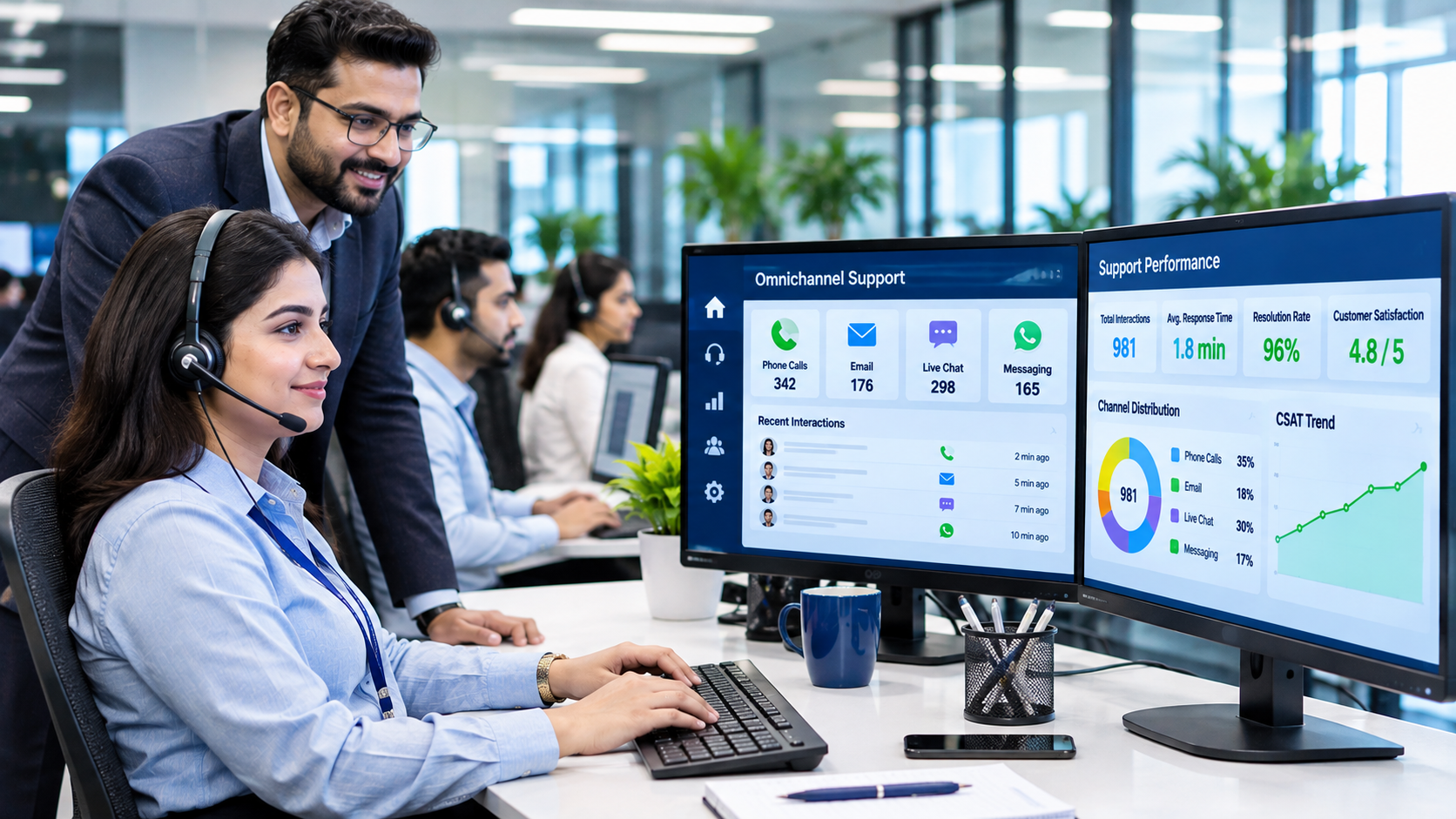
Omnichannel support can provide additional operational and customer experience benefits when the underlying technology, processes and teams are properly integrated.
1. More Consistent Customer Experiences
Connected customer information helps reduce the need for customers to repeat details when moving between communication channels.
2. Better Agent Productivity
Representatives can spend less time searching for information across separate systems when relevant customer history and support tickets are available in a unified workflow.
3. Improved Issue Tracking
Connected ticket management makes it easier to monitor the status of customer requests, assign ownership and follow up on unresolved issues.
4. Better Operational Visibility
Integrated reporting can help managers review support volumes, response times, resolution trends and channel performance. The quality of these insights depends on accurate data and properly configured reporting.
5. Smoother Channel Transitions
Customers can move from one supported channel to another with less disruption when conversation history and relevant case details are accessible.
Which Approach Should Your Business Choose?
The right approach depends on your business size, customer expectations, support volume, technology infrastructure and operational budget. Not every organization needs a fully integrated omnichannel environment immediately.
Choose Multichannel Support If:
- Your business is introducing additional customer communication channels.
- Your customer service operation is relatively small or straightforward.
- Different channels have distinct workflows and ownership requirements.
- You are still evaluating customer communication platforms.
- You want to expand customer access before investing in deeper integrations.
Consider Omnichannel Support If:
- Customers frequently switch between phone, email, chat and messaging.
- Your support agents need access to previous conversations.
- Repeated explanations are creating customer frustration.
- Your business manages a high volume of customer interactions.
- You need better coordination between customer service teams and departments.
- You want more unified reporting and issue tracking across channels.
Important: Omnichannel support is not automatically better for every organization. It delivers value when channel integration solves real customer or operational problems. Poorly implemented integrations can add complexity without improving service quality.
How to Build an Effective Omnichannel Support Strategy
Moving from separate communication channels to a connected support environment requires more than purchasing new software. Businesses should align technology, people and service processes.
1. Understand Your Customer Journey
Identify how customers currently contact your business, which channels they prefer and where communication gaps occur. Review common customer journeys to understand where handoffs create friction.
2. Identify the Right Communication Channels
Select channels based on customer needs and operational requirements. These may include phone, email, live chat, messaging applications, social media and self-service portals.
3. Choose Integrated Support Technology
Evaluate CRM, helpdesk and contact center platforms that can connect relevant customer information and support interactions. Confirm that the systems support the integrations your business actually needs.
4. Centralize Customer Interaction Records
Establish clear processes for recording customer requests, interaction history, issue status and follow-up actions. Ensure that access to customer information follows appropriate security and privacy controls.
5. Standardize Support Processes
Define ticket ownership, escalation rules, response standards and resolution procedures. Consistent processes help teams deliver a reliable experience across channels.
6. Train Customer Support Representatives
Train agents to use the connected systems, review previous interactions, communicate consistently and manage channel transfers effectively.
7. Monitor Performance and Improve
Track metrics such as first response time, resolution time, customer satisfaction, ticket backlog, first contact resolution and channel-specific performance. Use these insights to identify gaps and improve workflows.
For businesses looking to strengthen their customer service operations, a dedicated omnichannel support solution can help coordinate customer interactions across communication channels.
Common Mistakes Businesses Should Avoid
Implementing multiple channels or an omnichannel platform does not guarantee a better customer experience. Businesses should avoid several common mistakes.
- Adding too many channels: Introducing channels without sufficient staffing and process planning can create inconsistent service.
- Ignoring integration requirements: Different systems may continue operating independently even after new software is introduced.
- Overlooking agent training: Representatives need practical training to use new tools and follow consistent workflows.
- Failing to maintain customer records: Incomplete or outdated records can create confusion and repeated work.
- Measuring only response time: Fast responses do not necessarily mean customer issues are being resolved effectively.
- Neglecting data security: Connected platforms must be configured with suitable permissions, access controls and data protection practices.
How Outsourced Customer Support Teams Can Help
Managing several customer communication channels requires trained representatives, effective supervision, suitable technology and consistent quality assurance. As support volumes grow, maintaining these resources internally can become challenging.
Outsourced customer support teams can help businesses manage inbound inquiries, technical support requests, email communication, live chat and other customer service workflows.
A capable outsourcing partner should understand your communication channels, service standards, escalation procedures and reporting requirements. The objective is not simply to answer more inquiries, but to maintain consistent service quality as the business grows.
Explore inbound call center services and SaaS and technical support services to understand how dedicated support teams can assist different business operations.
Final Thoughts
The difference between multichannel and omnichannel support comes down to connectivity and customer experience. Multichannel support gives customers multiple ways to contact a business, while omnichannel support connects those channels to create a more continuous service journey.
Both approaches can play an important role in customer service operations. Businesses should assess their current support processes, customer expectations and technology capabilities before deciding which model to implement.
Ultimately, the goal is to make customer support accessible, consistent and effective—regardless of how customers choose to get in touch.
Frequently Asked Questions
1. What is the main difference between multichannel and omnichannel support?
Multichannel support offers multiple communication channels that may operate independently. Omnichannel support connects those channels so relevant customer information and interaction history can be shared across the customer journey.
2. Is omnichannel support better than multichannel support?
Omnichannel support can provide a more connected customer experience, but it is not the right solution for every business. The best approach depends on customer expectations, support complexity, resources and integration requirements.
3. Can a business use both multichannel and omnichannel support?
Yes. A business may operate multiple channels while gradually integrating selected channels and workflows. This allows it to move towards an omnichannel model over time.
4. What channels are commonly used in omnichannel customer support?
Common channels include phone, email, live chat, social media, messaging applications, customer portals and self-service knowledge bases. The important factor is how effectively these channels are connected.
5. What technology is needed for omnichannel support?
Businesses commonly use CRM platforms, helpdesk and ticket management software, contact center solutions, live chat tools and integration platforms. The specific technology depends on the organization's requirements.
6. Does omnichannel support improve customer satisfaction?
It can improve customer satisfaction by reducing repeated explanations, supporting smoother channel transitions and helping representatives access relevant interaction history. Results depend on implementation and service quality.
7. Is omnichannel support suitable for small businesses?
Yes. Small businesses can adopt an omnichannel approach using appropriately sized tools and a limited number of integrated channels. They can expand the setup as customer service needs grow.
8. How can outsourcing support an omnichannel strategy?
An outsourcing partner can provide trained representatives and operational support across selected channels. Businesses should ensure that the partner follows their service standards and can work with the required customer support systems.
Build a More Connected Customer Support Experience
Looking to improve your customer service operations? DevloftHub helps businesses manage customer interactions through dedicated support teams and structured service workflows.
Talk to Our Team